
E-mail address
designs@hexspurdesigns.com
nanoCAD 26 Module
nanoCAD
3D Modeling

Parametric and direct 3D solid modelling with assembly constraints and drawings that stay associated with the model.
Overview
3D Solid Modelling
Inside nanoCAD
Inside nanoCAD
The 3D Modeling module adds parametric and direct solid modelling, mesh modelling and 3D assemblies to the nanoCAD Platform. Engineers can assemble parts with 3D constraints, edit models by pushing and pulling faces, and keep the 2D drawing associated with the 3D model.
Models can be exchanged with most CAD systems and exported to 3D printers, CNC machines and web viewers.
Latest Release
What’s New in the
3D Module
3D Module
- New standards of 3D thread
- Assembly 3D constraints for torus-torus and torus-sphere contact
Key Features
Model, Assemble
and Document in 3D
and Document in 3D
Parametric 3D Solid Modeling
Create 3D geometry from parametric sketches, with the history of each part kept in the 3D History Tree.
Direct 3D Modeling
A what-you-see-is-what-you-get approach: edit models by pushing and pulling faces and edges for rapid iteration and prototyping.
3D Assembly Constraints
Five constraints — Mate, Insert, Angle, Tangent and Symmetry — link 3D objects into a single assembly model.
Associative Models & Drawings
Changes to the 3D model are always shown in the drawings, and design elements made in 2D follow those changes.
Bounding Prisms
Use 3D clipping to show the inside of models and isolate parts; prisms can be edited, disabled and re-enabled later.
External References
Link parts stored in external drawing files into assemblies; changes made by other programs are reported by bubble notifications.
3D Constraints
Build Assemblies
With Constraints
With Constraints
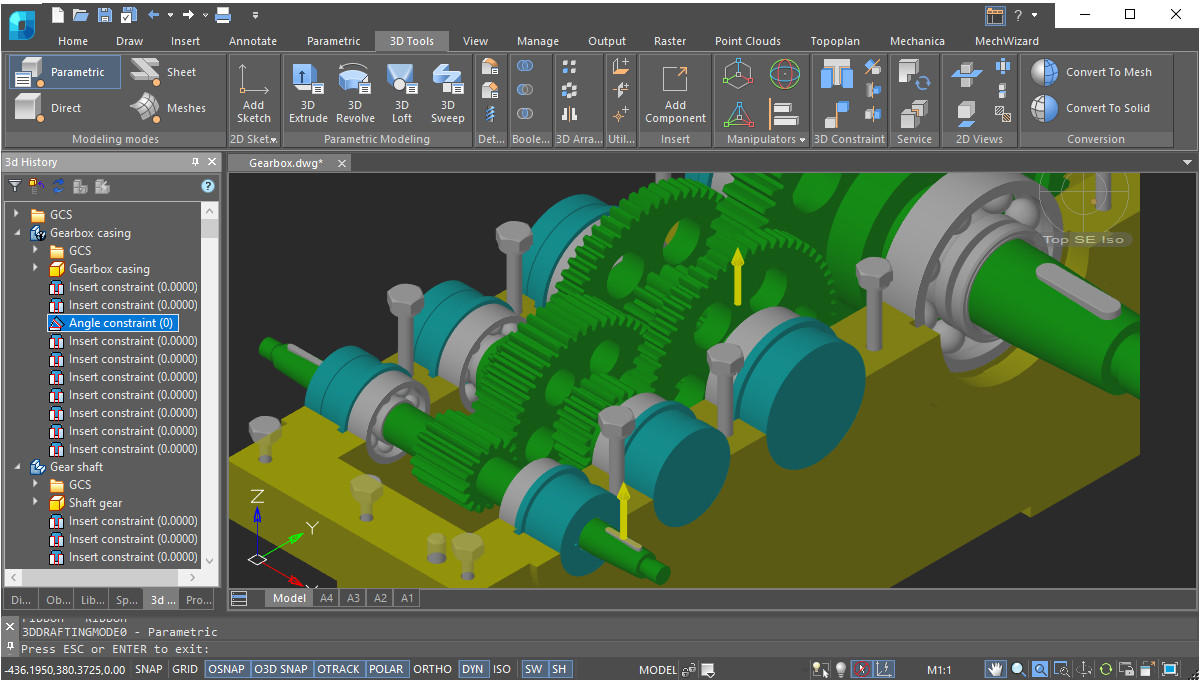
3D constraints impose dependencies on geometry, most commonly to assemble parts into a single model. Constraints for every part are displayed by the 3D History Tree.
- Mate, Insert, Angle, Tangent and Symmetry constraints
- New in 26: torus-torus and torus-sphere contact
- Assemblies link parts held in external drawing files through external references
Modeling Workflow
Parametric, Direct
and Mesh Modeling
and Mesh Modeling
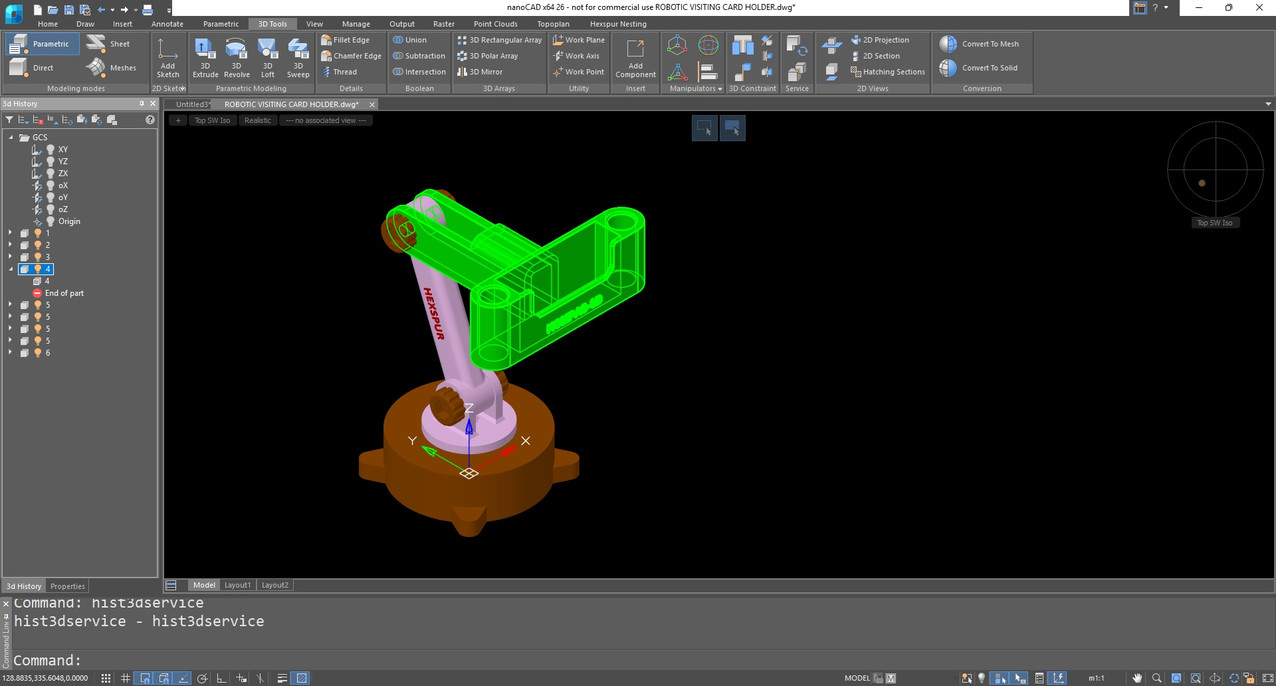
The ribbon shows commands in groups for each type of modelling, so you only see the tools relevant to the work in hand.
- Parametric mode: 3D geometry based on parametric sketches
- Direct mode: push and pull faces and edges
- Mesh mode: tools for creating 3D surfaces
- Chamfers, rounds, Boolean operations and construction geometry are always on the ribbon
Associativity
Drawings That Follow
the 3D Model
the 3D Model
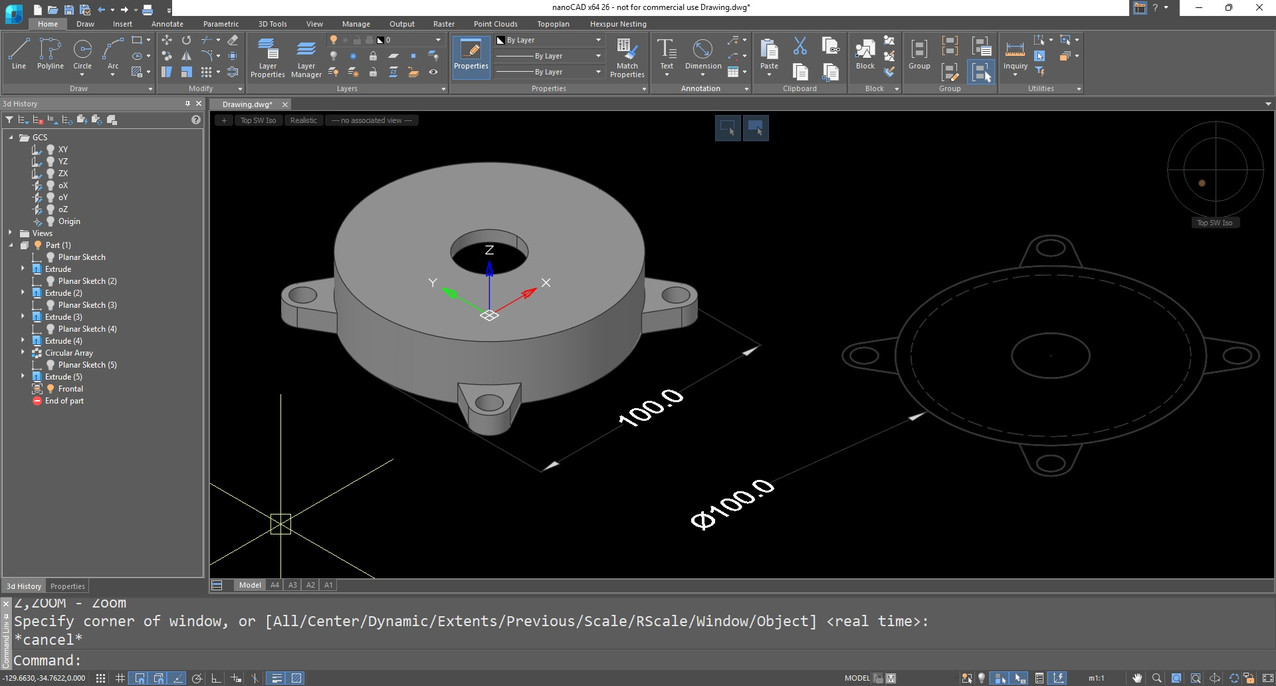
The associative relationship between models and their projections lets you concentrate on designing in a 3D environment, using 2D mainly for drawing design.
- All changes to the 3D model are shown in the drawings at any time
- Design elements made in 2D graphics correspond to the changes
- Bounding prisms clip the model to reveal internals without altering it
Model Exchange
Import and Export
With Other Systems
With Other Systems
Models created in the 3D module can be exchanged with most CAD systems, exported to 3D printers, CNC machines and web-based viewers.
| Format | Used for |
|---|---|
| STL | Stereo lithography and 3D printing |
| Parasolid X_T, X_B | NX, Solid Edge, SolidWorks |
| JT, IGES, STEP | Standard engineering data exchange |
| SAT, C3D | ACIS and C3D modellers |
| VRML | 3D graphics on the web |
| COLLADA | Interactive 3D applications |
Good to Know
Looking for sheet-metal modelling?
Sheet-metal modelling is not part of the 3D Modeling module. It is available in the nanoCAD Mechanica module.
See nanoCAD MechanicaFAQs
Frequently Asked
Questions
Questions
STL, Parasolid (X_T, X_B), JT, IGES, STEP, SAT, C3D, VRML and COLLADA.
No. Sheet-metal modelling is available in the nanoCAD Mechanica module. The 3D Modeling module covers parametric, direct and mesh modelling and assemblies.
Mate, Insert, Angle, Tangent and Symmetry. Constraints for every part are shown in the 3D History Tree, and nanoCAD 26 adds torus-torus and torus-sphere contact.
Yes. The relationship between models and their projections is associative, so changes to the 3D model are displayed in the drawings.
Contact
Ready to switch
to nanoCAD?
to nanoCAD?
Share your requirement and our engineers will reply with a clear scope, timeline and quote.