
E-mail address
designs@hexspurdesigns.com
nanoCAD 26 Module
nanoCAD
Raster

Import, correct and vectorize scanned drawings and raster images into editable CAD geometry.

Overview
From Scans
to Editable CAD
to Editable CAD
The Raster module extends the nanoCAD Platform with tools that import, correct and vectorize raster images. It is brand-new to nanoCAD.
Clean up old paper drawings, convert them to vector objects and bring them into your DWG workflow instead of redrawing them by hand.
Brand New
A New Module
for nanoCAD
for nanoCAD
- Automatic vectorization
- Semi-automatic tracing
- Monochrome and colour filtering
- Colour reduction and separation
- Geometry correction: resize, scale, crop, deskew
- Rasterization of vector and raster data
Key Features
Everything to Clean Up
and Vectorize Scans
and Vectorize Scans
Automatic Vectorization
Converts raster images into vector objects by recognizing points, lines, arcs, circles, hatches, texts, symbols and outlines.
Monochrome Filtering
Smoothing, thinning and thickening, speckle removal, hole filling, contour generation and inversion. Also reduces raster file size significantly.
Correcting Image Geometry
Corrects distortions in monochrome, grayscale or colour images: resizing, scaling and changing resolution, cropping and deskewing.
Colour Reduction & Separation
Separates objects of different colours, such as roads and rivers, onto their own monochrome layers.
Colour Correction
True colour, grayscale and indexed colour conversion, plus brightness, contrast, hue and saturation adjustments.
Colour Filtering
Adaptive blur, blur, contour sharpness and median filters improve quality after scaling, alignment, rotation, calibration and four-point correction.
Vectorization
Turn Raster Images
Into Vector Objects
Into Vector Objects
Vectorize automatically, or trace semi-automatically when an image needs a guiding hand.
- Recognizes points, lines, arcs, circles, hatches, texts, symbols and outlines
- Lines, circles, arcs, polylines and arrowheads are recognized as object types
- Semi-automatic tracing vectorizes images of any type
- Smooths and removes artifacts from monochrome images
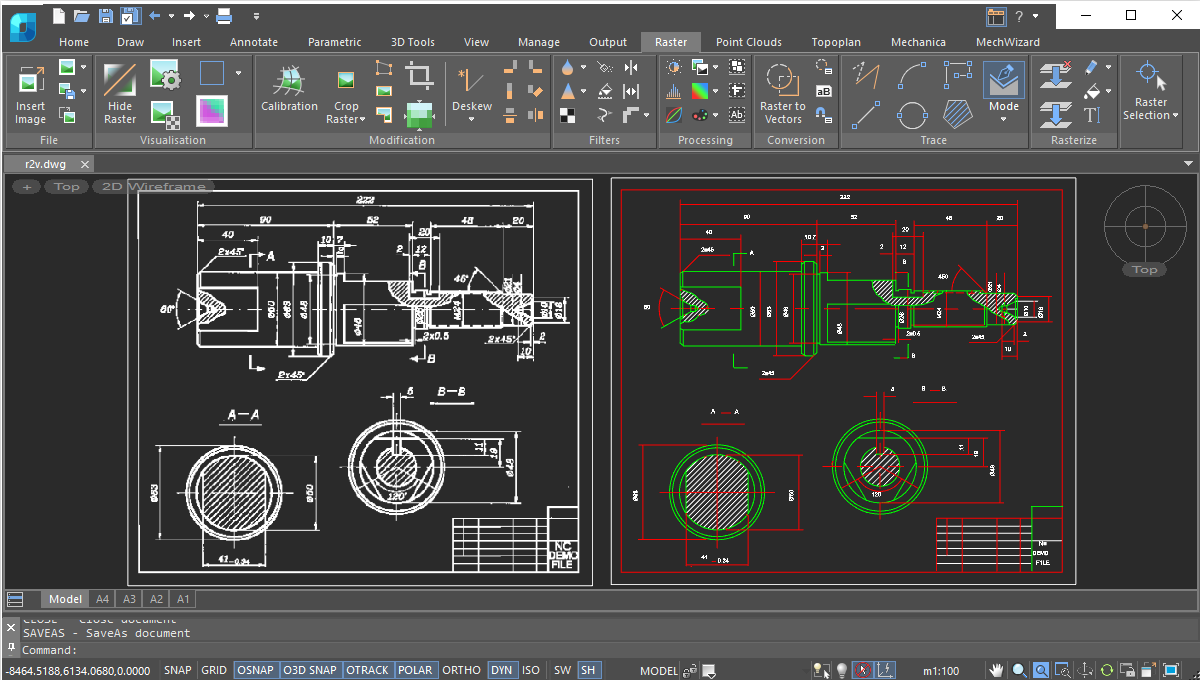
Image Clean-up
Prepare Scans
Before You Convert
Before You Convert
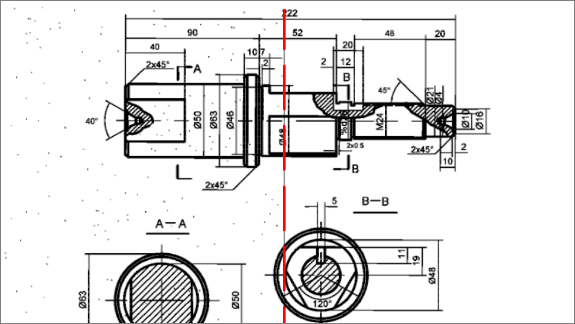
Good preparation gives better vectorization. Fix geometry and quality first.
- Resize, scale, crop and deskew raster images
- Smooth, thin, thicken, de-speckle and fill holes in monochrome scans
- Generate contours and invert images
- Filter colour images with adaptive blur, blur, contour sharpness and median
Selections & Rasterization
Work With Parts
of an Image
of an Image
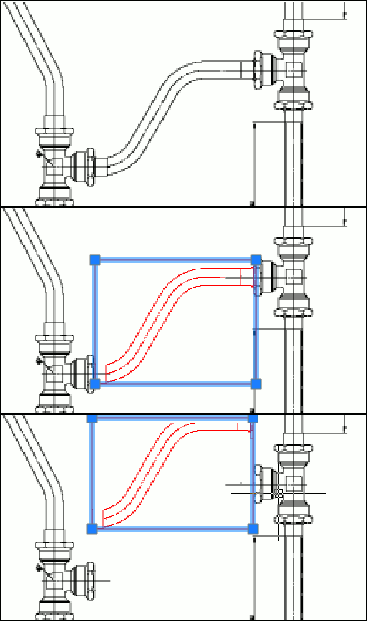
Select portions of raster images and move them to new raster images on specified layers, or merge vector data back onto a raster.
- Select areas of raster images or multiple interconnected raster points
- Select raster line segments defined by intersections or endpoints
- Select raster entities such as lines, arcs and circles
- Rasterize and merge selected CAD objects and raster data onto underlying raster images
FAQs
Frequently Asked
Questions
Questions
It imports, corrects and vectorizes raster images: automatic vectorization, semi-automatic tracing, monochrome and colour filtering, geometry correction and colour separation.
Yes. It separates objects of different colours onto their own monochrome layers, which the brochure notes is more efficient than making black-and-white scans of colour images.
Yes. Geometry correction includes resizing, scaling, changing resolution, cropping and deskewing.
Monochrome filters improve image quality and can reduce the size of raster files significantly.
Contact
Ready to switch
to nanoCAD?
to nanoCAD?
Share your requirement and our engineers will reply with a clear scope, timeline and quote.