
E-mail address
designs@hexspurdesigns.com
nanoCAD 26 Module
nanoCAD
Mechanica

Mechanical design with 2D drafting, 3D design, a large standard-parts library and sheet-metal modelling.

Overview
Built for
Machine Design
Machine Design
nanoCAD Mechanica is a mechanical engineering tool with 2D drafting and 3D mechanical designing. It is based on an advanced parametric engine and works with a large library of standard parts.
It enables fast development of high-quality mechanical engineering drawings and project documentation, and it is the nanoCAD module that includes sheet-metal modelling.
Latest Release
What’s New in
Mechanica
Mechanica
- Reworking of sheet metal
- DIN flanges
- Fasteners according to standards
Key Features
Everything for
Mechanical Drawings
Mechanical Drawings
Library of Standard & Complex Parts
Search filter, fasteners, standard profiles, reamers and circuit element symbols.
Broad Range of Design Tools
Multi-sheet drawings, orthogonal drawing and object snap, drawing-order management, standard and custom linetypes, hatches and fonts.
Parameterized Parts Database
Parametric and object-dependent elements, including 3D ones. Change a part’s parameters and associated parts update from their database values.
Standards-based Drawings
ISO fonts, linetypes and dimension styles; tolerance zones and fits; form and position tolerances; surface texture symbols.
Bolted & Riveted Joints
Connect groups of parts of arbitrary thickness with bolts, screws, studs or rivets, and generate patterns of fasteners.
BOM Tools
Create bills of material from parts linked to drawings, with itemized specification numbers and custom specifications.
Parts Library
Standard Parts
at Your Fingertips
at Your Fingertips
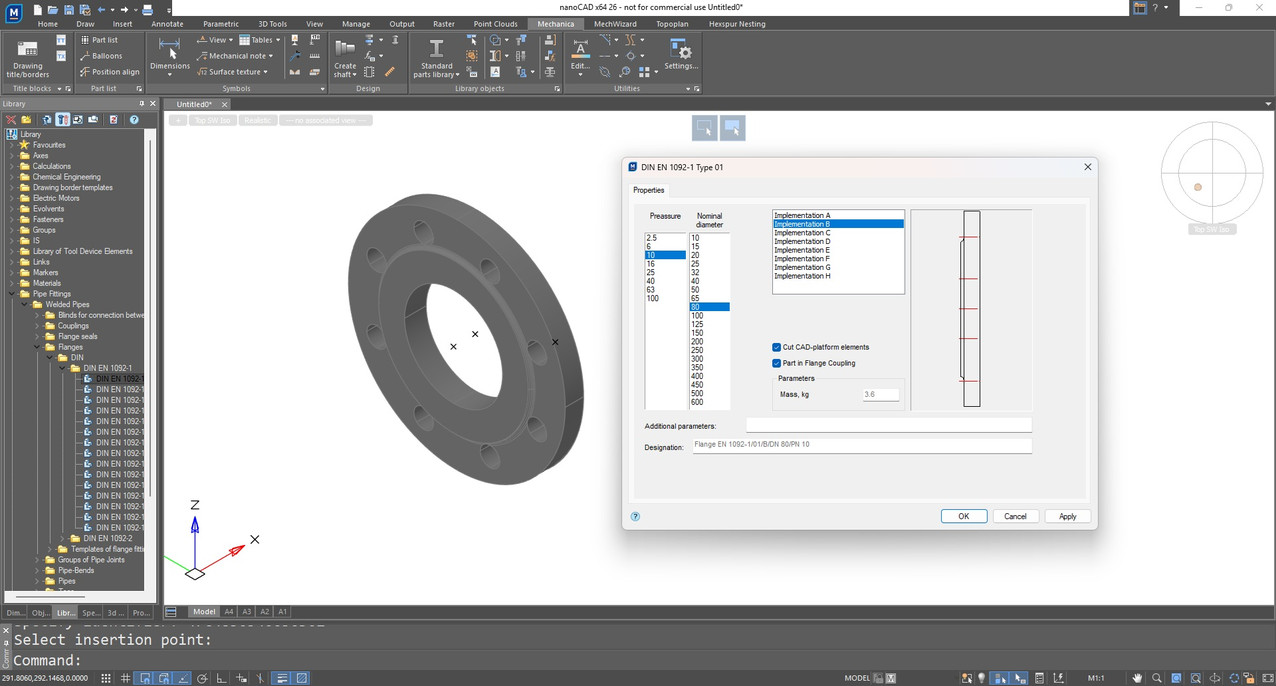
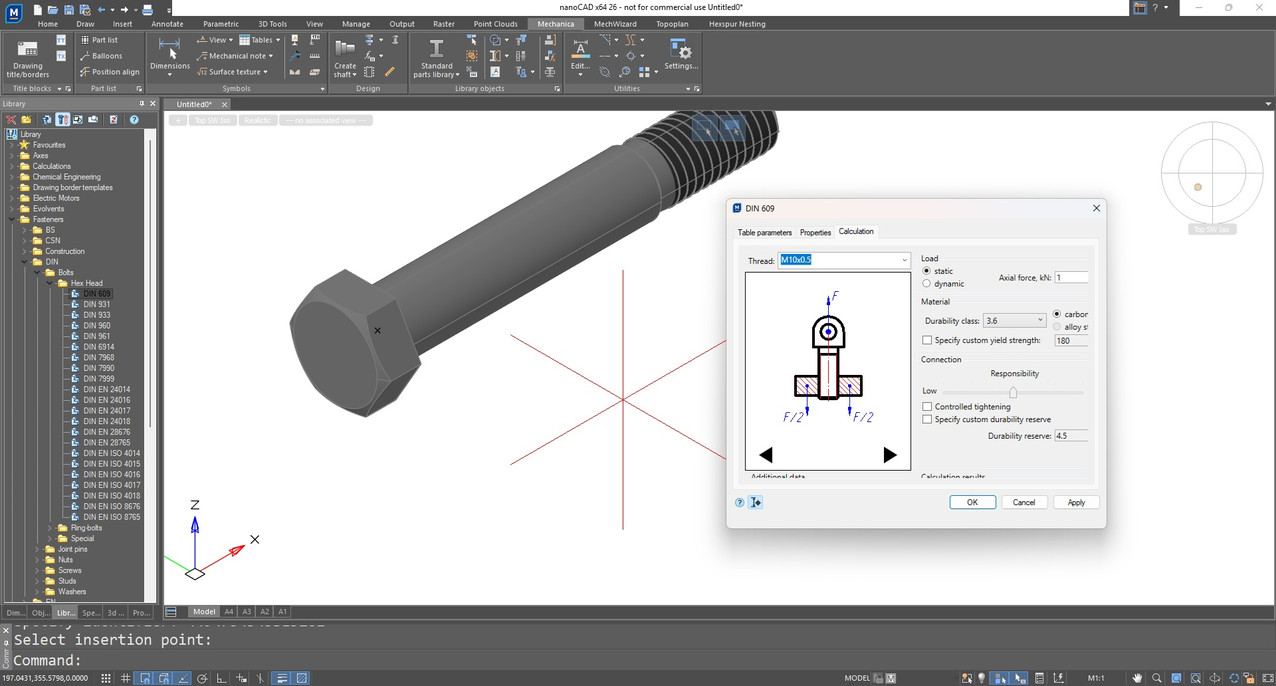
Mechanica’s parts database holds a vast collection of parametric and object-dependent elements, including three-dimensional ones. Changing a parameter updates all associated parts in the drawing automatically, which makes it quick to generate design variations.
- Search filter to find parts quickly
- Fasteners, standard profiles and reamers
- Circuit element symbols
- New in 26: DIN flanges and fasteners according to standards
Drawing Standards
Standards-based
Engineering Drawings
Engineering Drawings
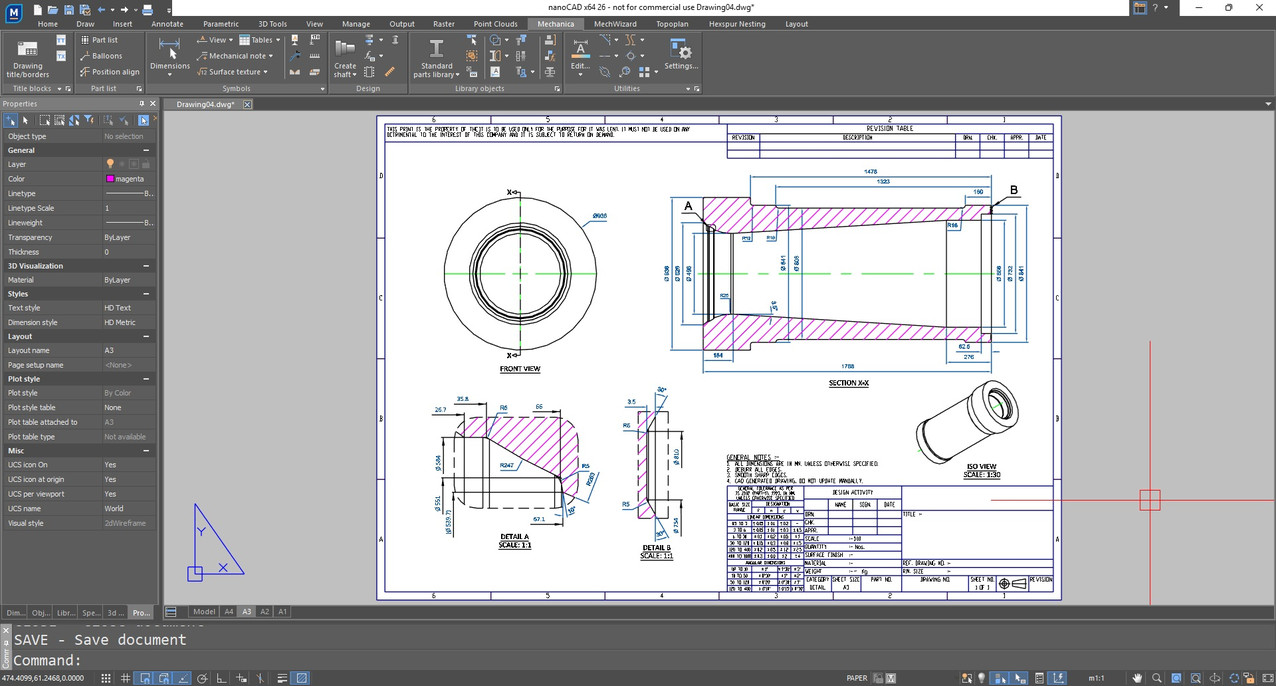
Produce production-ready mechanical drawings that follow the conventions your shop and customers expect.
- ISO-standard fonts, linetypes and dimension styles
- Tolerance zones and deviations for dimensions and fits
- Form and plane position tolerances
- Surface texture symbols and gradient symbols
Joints & BOM
Fasteners, Joints
and Bills of Material
and Bills of Material
Mechanica handles bolt and rivet functions flexibly and keeps the bill of material linked to the drawing.
- Bolts, screws or studs through groups of parts with arbitrary thickness
- Regular and high-accuracy rivets, including hollow and semi-hollow types
- Simplified fasteners in joints and patterns of bolts and rivets
- BOM tables with itemized specification numbers, electrical specifications and custom specifications
Good to Know
Sheet-metal modelling lives here
Sheet-metal modelling is part of nanoCAD Mechanica, and was reworked in nanoCAD 26. It is not included in the 3D Modeling module — add Mechanica to the seats that design sheet-metal parts.
Ask About MechanicaFAQs
Frequently Asked
Questions
Questions
In the Mechanica module. Sheet metal was reworked in nanoCAD 26. The 3D Modeling module does not include sheet-metal modelling.
A library of standard and complex parts with a search filter, including fasteners, standard profiles, reamers and circuit element symbols. nanoCAD 26 adds DIN flanges and fasteners according to standards.
Yes. BOM tools create bills of material from parts linked to drawings, with itemized specification numbers, electrical specifications, automatic receipt of specifications and custom specifications.
Yes. It includes ISO-standard fonts, linetypes and dimension styles, tolerance zones and fits, form and plane position tolerances, and surface texture symbols.
Contact
Ready to switch
to nanoCAD?
to nanoCAD?
Share your requirement and our engineers will reply with a clear scope, timeline and quote.