
E-mail address
designs@hexspurdesigns.com
nanoCAD 26 Platform
nanoCAD
Platform

A CAD solution fully compatible with professional-grade, industry-standard DWG — the base of every nanoCAD module.

Overview
DWG-Native CAD
Built for Daily Work
Built for Daily Work
nanoCAD Platform is a CAD solution fully compatible with professional-grade, industry-standard DWG. Its operating principles are designed to look and feel just like other well-known CAD systems, so an experienced designer can start working almost immediately, with nearly no retraining.
Every nanoCAD licence starts with the Platform. The discipline modules — 3D Solid Modeling, Mechanica, Construction, Raster and Topoplan — are added on top only for the seats that need them.
Latest Release
What’s New in
nanoCAD 26
nanoCAD 26
- Multilingual interface: English, Spanish, French, German, Portuguese, Korean
- Native command aliases
- Document partial opening
- External references freezing
- Visual style improvements
- Snap improvements
- Batch file processing
- Layers
- Dialog and interface updates
- Sheet set
- New features of point clouds
Key Features
Everything a Drafting
Team Needs
Team Needs
Extensive 2D/3D Commands
Create and edit 2D and 3D objects, text and design elements; adjust display and printing for technical documentation; view, create and edit 3D surface objects.
Dynamic Input
Set dimensions and sizes of drawing elements without going to the command line — pointer input, dimension input and dynamic prompts.
Drawing Comparison
Find differences between two similar-looking drawings in model space. Modified, added and removed objects are detected.
Excel-style Table Editor
Database-like table capabilities, with macros and formulas embedded in cells. Create tables and specifications based on block attributes.
Locator Function
Hold Alt to rotate the view interactively, then pick a point on the locator circle — or one of four marked points to turn the view by 90°.
Opens Third-Party Files
Open and work with drawings created in other CAD systems, with DWG as the native format.
User Interface
Looks and Feels
Like the CAD You Know
Like the CAD You Know
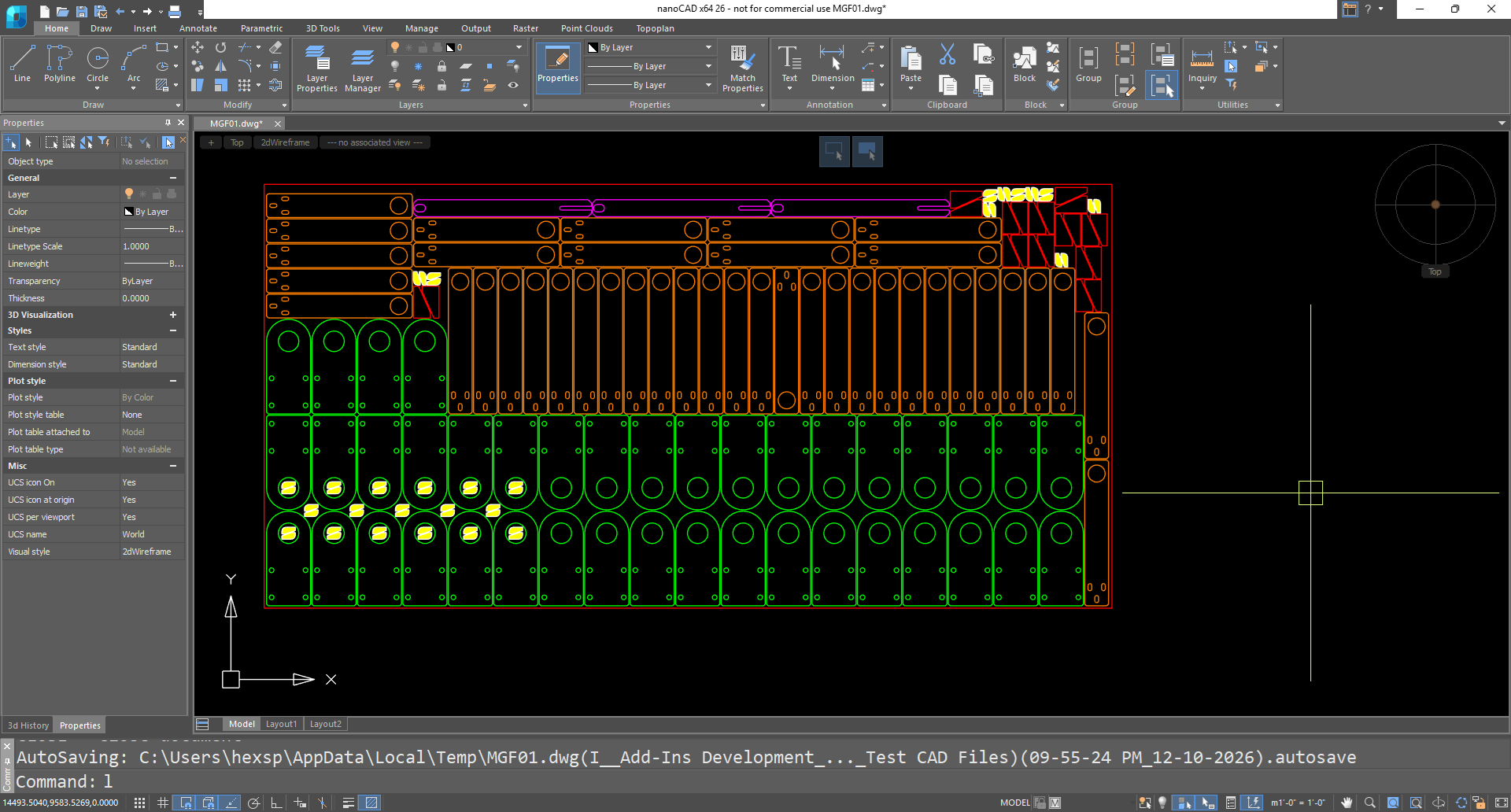
Drawing spaces, command lines, menu positions and icons are recognizable, so there is nearly no need for retraining.
- Switch between the modern ribbon and the classic CAD interface instantly
- Visual interface editor customizes almost every aspect of nanoCAD
- Dynamic input available when creating and editing objects
- Heads-up drafting with pointer input, dimension input and dynamic prompts
IFC Support
Import IFC
Into Your DWG
Into Your DWG
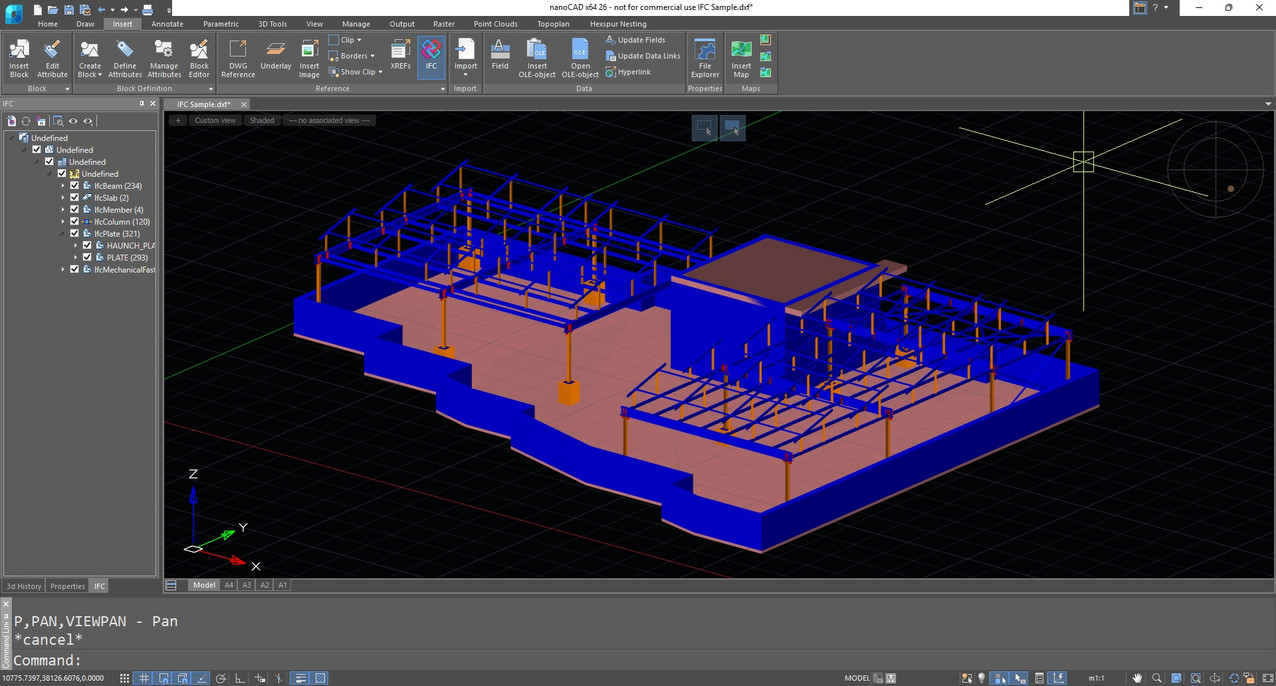
nanoCAD can import IFC files into a DWG document and perform numerous operations on the imported BIM objects.
- Compile reports on models created in BIM systems
- 3D navigation in parallel and perspective projection, adaptive zoom, camera and observer head rotation
- Accelerated performance in saturated 3D models
- A universal IFC viewer based on DWG and BIM models
2D/3D Point Clouds
Work With
Laser-Scan Data
Laser-Scan Data
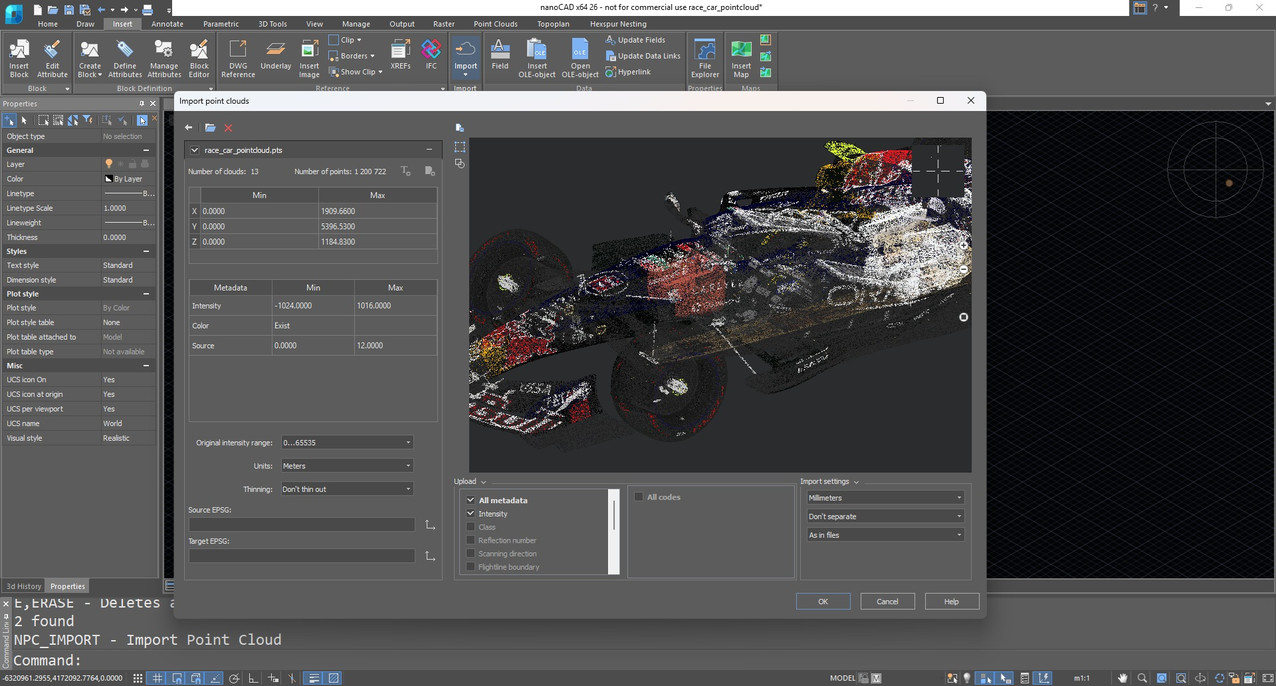
nanoCAD imports point clouds into drawings from laser scanners. The import dialog lets you bring in only the regions of the cloud you need.
- TerraSolid (bin), ASPRS (las), Leica (ptx and pts) and generic point cloud files (pcd)
- Create and modify clouds with sections and clips
- Tune visualization parameters, such as colour by elevation
FAQs
Frequently Asked
Questions
Questions
The nanoCAD 26 interface is multilingual: English, Spanish, French, German, Portuguese and Korean.
Yes. IFC files can be imported into a DWG document, and point clouds can be imported from TerraSolid (bin), ASPRS (las), Leica (ptx, pts) and generic pcd files.
Yes. Drawing spaces, command lines, menus and icons are recognizable, and you can switch between the modern ribbon and the classic interface at any time.
The Platform is complete for 2D drafting and general 3D work. Modules add discipline-specific tools — 3D Solid Modeling, Mechanica, Construction, Raster and Topoplan — and you add them only for the seats that need them.
Contact
Ready to switch
to nanoCAD?
to nanoCAD?
Share your requirement and our engineers will reply with a clear scope, timeline and quote.